| |
On-line evaluation
Get your hands on the tool within seconds without any installation (Make sure you have an updated Java library) !
This on-line evaluation uses an innovative technology and has some restrictions.
Would you like to try out the standard tool version free of charge, please fill in this evaluation form and fax it back to us.
|
|
Once RTDS is started, we suggest you do the following :
- Go to File / Open Project... menu,
- Go to the upper directory and down to examples / SDL / AccessControl,
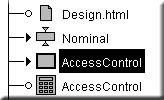
- Open the AccessControl project,
- Select the AccessControl System,
- Click on the Debug quick button,

- Once the Simulator is started,
- Start an MSC Trace,

- Start the Prototyping GUI,

- Select Option / Timers / Real time timers,
- Press the run quick button,

- And play around with the system (Admin code is "007" in order to register new users).
A full tutorial is available here but please note this on-line demo does not contain any of the RTOS profiles or C compiler required to generate code and debug.
|
|